Launching a SaaS product is only the beginning. As users grow and features expand, many SaaS platforms quietly accumulate UX problems that hurt retention, engagement, and conversions.
This is where UX audits and redesigns become essential.
In this article, we’ll explore:
- What a UX audit is and why SaaS products need one
- When to redesign your SaaS UI/UX
- How expert UI/UX designers help SaaS products scale efficiently
What Is a UX Audit?
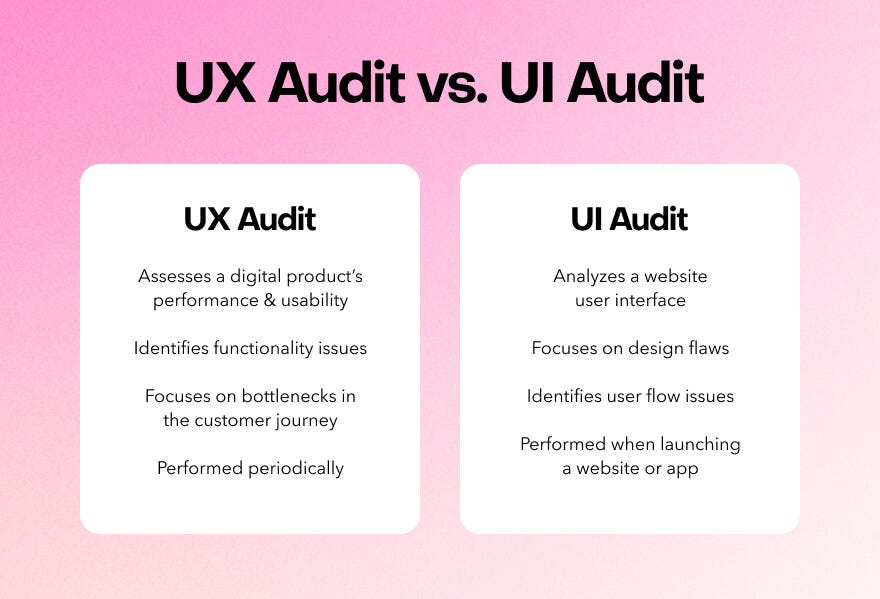
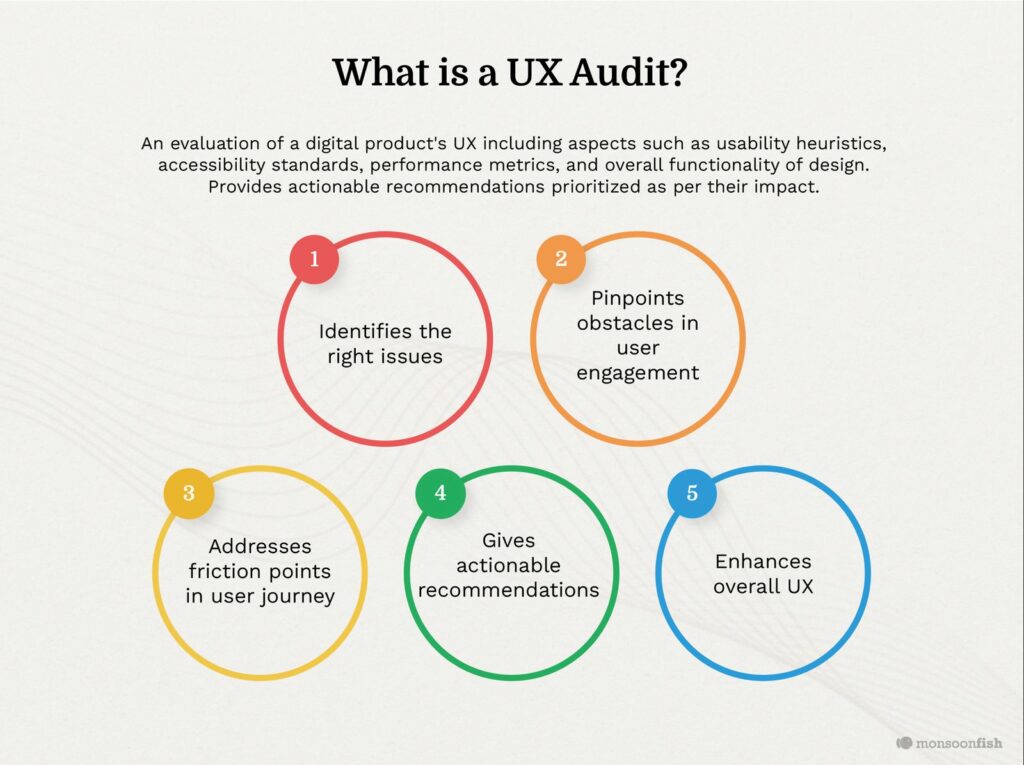
A UX audit is a structured review of your product’s user experience, focusing on:
- Navigation and usability issues
- User flow bottlenecks
- Interface inconsistencies
- Friction during onboarding
For SaaS products, UX audits are especially valuable because they reveal problems that only appear after real users interact with the product over time.
Signs Your SaaS Product Needs a UX Audit
You may need a UX audit if:
- Users drop off during onboarding
- Support tickets keep repeating the same issues
- Features are underused
- Your dashboard feels cluttered or overwhelming
Rather than guessing, UX audits provide data-backed design insights.
UX Redesign vs. UI Refresh: Knowing the Difference
A UI refresh focuses on visuals—colors, typography, and spacing.
A UX redesign focuses on how users actually move through the product.
For SaaS platforms, redesigns often include:
- Simplifying workflows
- Improving dashboard usability
- Reducing cognitive load
- Aligning the interface with user goals
Most successful SaaS redesigns start with a UX audit before changing visuals.
How Professional UI/UX Designers Approach SaaS Redesigns
Experienced SaaS UI/UX designers:
- Analyze user behavior and feedback
- Map user journeys and pain points
- Redesign flows before screens
- Build scalable design systems
Many professionals work directly in Figma, allowing teams to collaborate, iterate, and hand off designs smoothly to developers.
Fiverr Pro
Fiverr Pro gives access to vetted UI/UX designers experienced in SaaS audits, redesigns, and dashboard optimization.
Improving Dashboard UX Through Iteration
Dashboards often grow organically—and become cluttered over time.
UX improvements may include:
- Re-prioritizing key metrics
- Improving data hierarchy
- Reducing unnecessary elements
- Designing role-specific views
A well-structured dashboard helps users make faster, better decisions—without frustration.
When to Hire External UI/UX Expertise
In-house teams may be too close to the product to spot usability issues. External UI/UX designers bring:
- Fresh perspective
- Proven redesign frameworks
- Experience across multiple SaaS products
This is especially helpful during:
- Major feature releases
- Growth stages
- Product repositioning
Building a Scalable UX Foundation
As SaaS products grow, design consistency becomes critical.
Professional UI/UX designers help create:
- Component libraries
- Reusable patterns
- Clear interaction guidelines
This ensures new features integrate smoothly without degrading the user experience.
Final Thoughts
UX audits and redesigns are not one-time fixes—they’re part of building a sustainable SaaS product.
By continuously refining user flows, dashboards, and interactions, SaaS teams can improve retention, engagement, and long-term growth.
If you’re considering a UX audit or redesign for your SaaS product, working with experienced UI/UX professionals—such as those available on Fiverr Pro—can accelerate the process and improve outcomes.